Digital menu Available now
A menu that is always right.
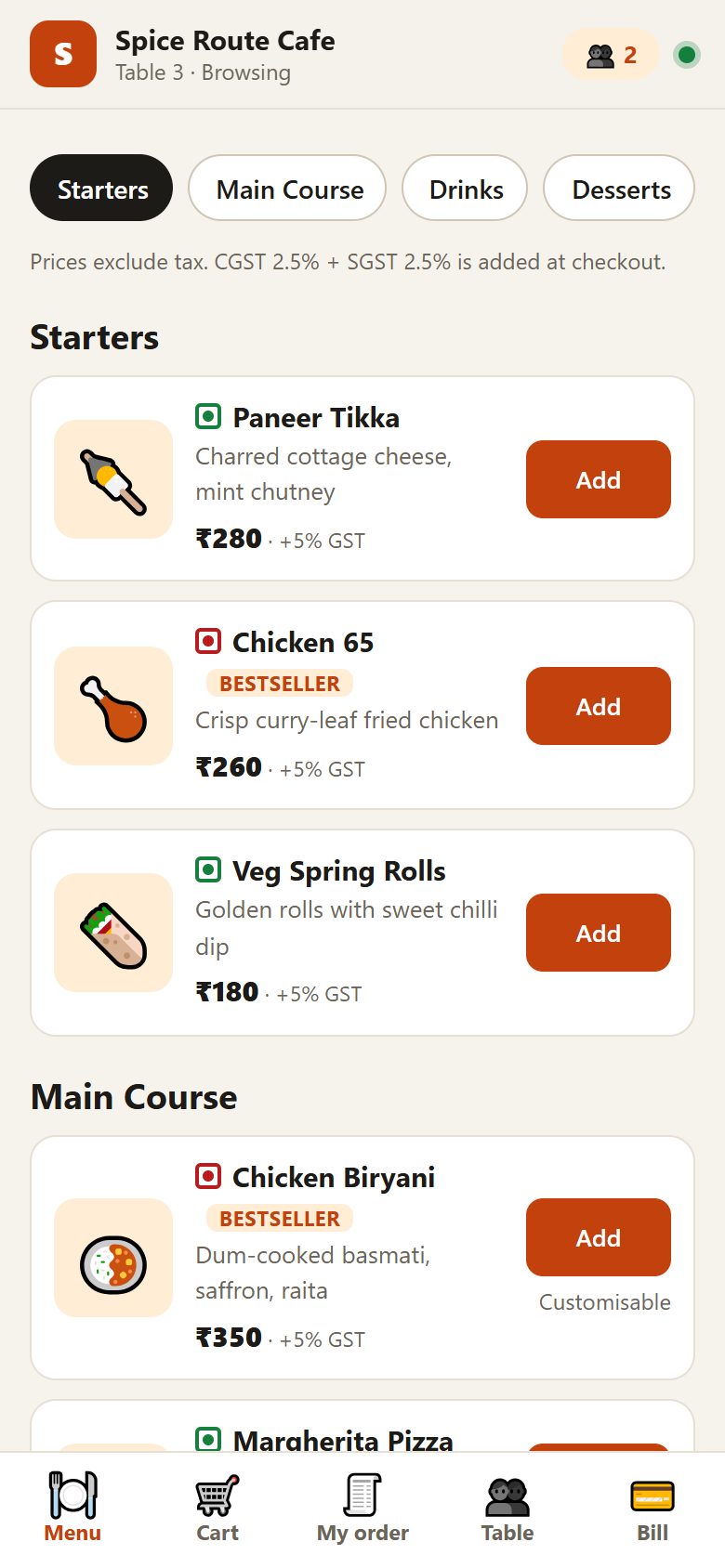
Guests scan the QR code on their table and your menu opens in their browser, with photos, veg and non-veg marks and today's prices. Mark a dish sold out and it stops being ordered at once. And unlike a PDF menu, guests can order from it.
The problem
Printed and PDF menus go out of date the day you change a price.
Reprinting costs money, a PDF cannot say that a dish has run out, and guests still have to wait for a waiter to order.
What you get
How SYQAVO handles it
- Photos and veg marks. Each dish can show a photo and a veg, non-veg or egg mark, with a bestseller tag where you choose.
- Categories guests can jump between. Starters, mains, drinks, desserts: tabs at the top of the menu.
- Sizes, add-ons and notes. Half or full, extra cheese, less spicy: set once, chosen by the guest.
- Sold out in one tap. Your manager switches a dish off and it cannot be ordered; switch it back on when it is available.
- Change once, everywhere. The same menu feeds the guest's phone, the kitchen and the bill, so prices always match.
- Ordering built in. It is not only a menu to read: guests order from it and the kitchen sees it immediately.
Questions
Can guests just read the menu without ordering?
Yes. Opening the menu does not place anything; ordering is a separate step.
Do I need to design the menu?
No. You enter dishes, prices and photos (or we do it for you during setup) and the menu is laid out for phones automatically.
Can my manager change prices?
Managers can rename dishes, change photos and mark items sold out. Prices, new dishes and categories are for the owner.
See it running in your own restaurant.
A 30-minute walkthrough on your menu and your floor plan. No commitment.