Restaurant operating system
From the table to the till, in one system.
Guests order from their phone at the table. The kitchen sees it the same second. Bills split the way your guests want. And the stock, the staff rota and the day's numbers are already where you need them.
Already using SYQAVO? Sign in to your restaurant
Everything your restaurant runs on, in one system
- Table ordering by QR code or NFC tag, no app for guests
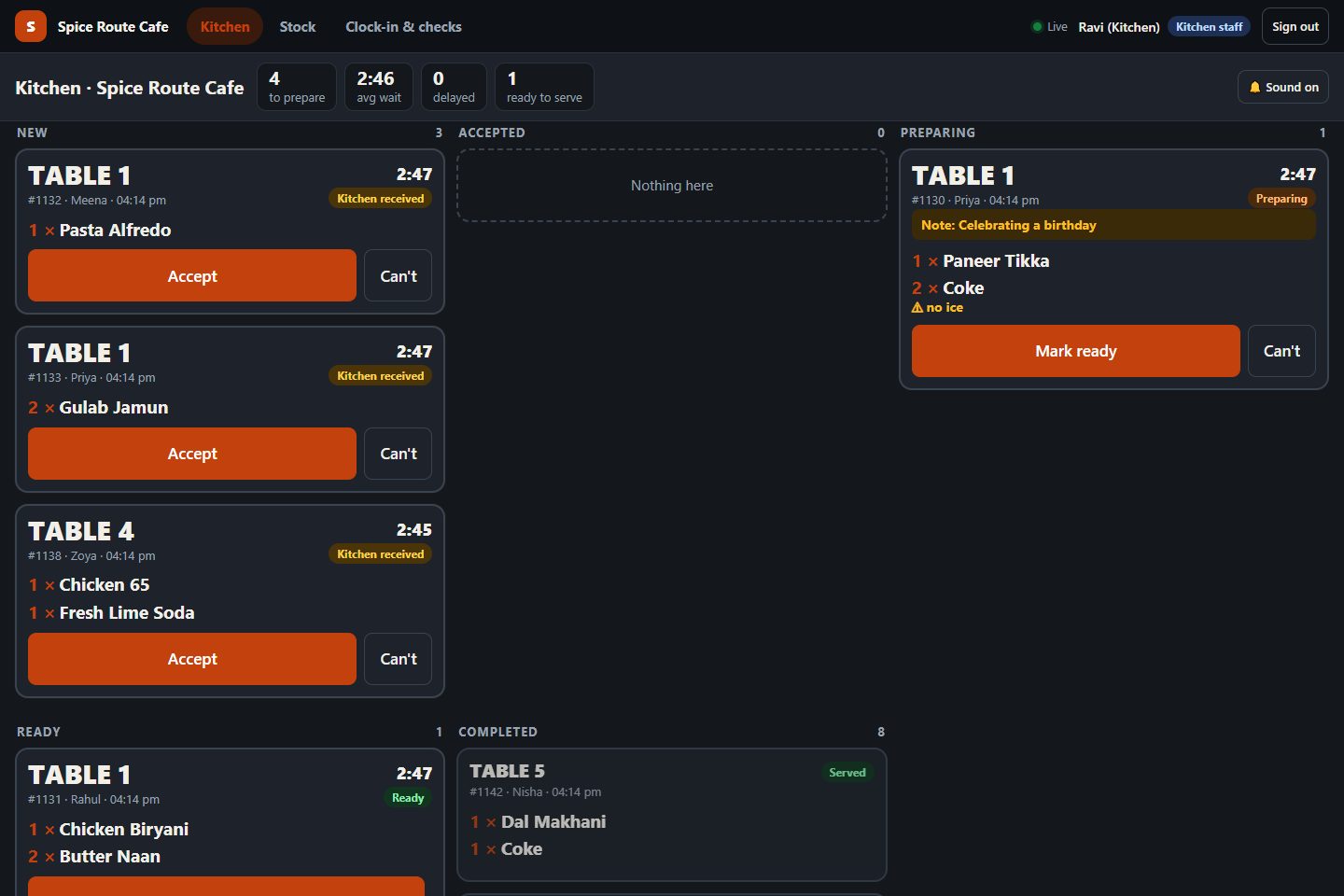
- Kitchen display with live tickets and timers
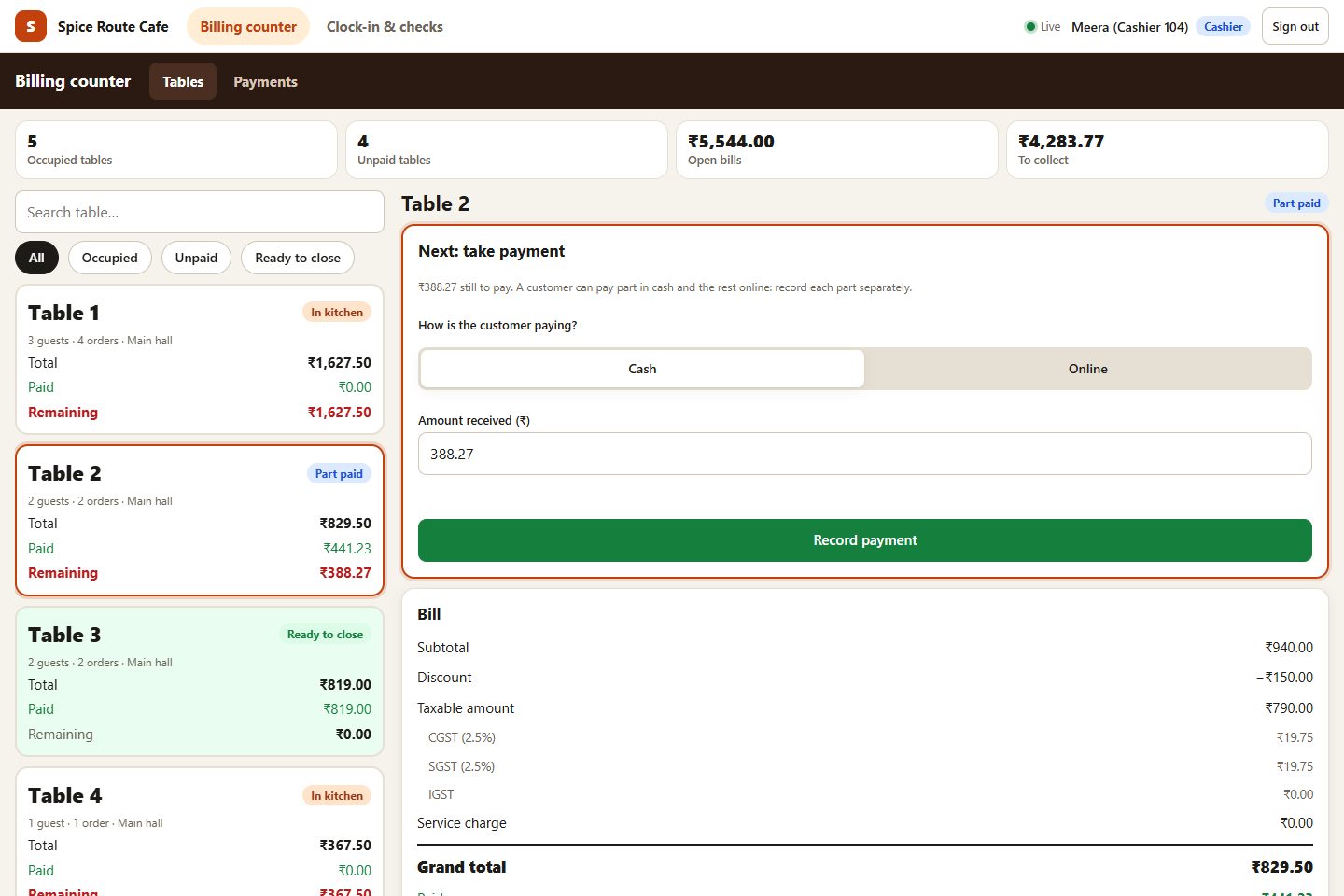
- Billing counter with split bills and part payments
- Payments by cash, card and UPI, recorded
- Menu and tables with photos, sizes, add-ons and QR codes
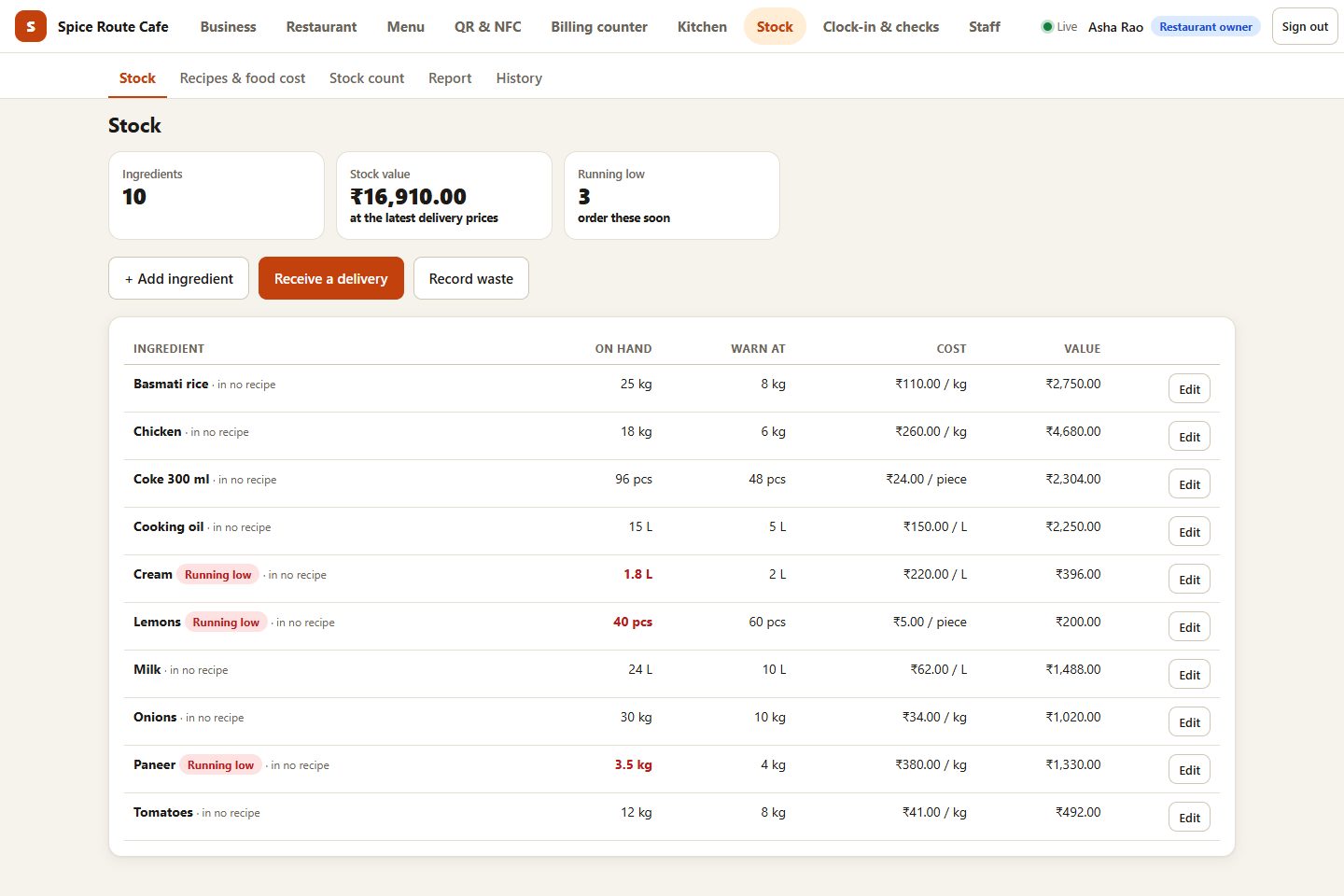
- Stock and recipes, deducted when the kitchen accepts an order
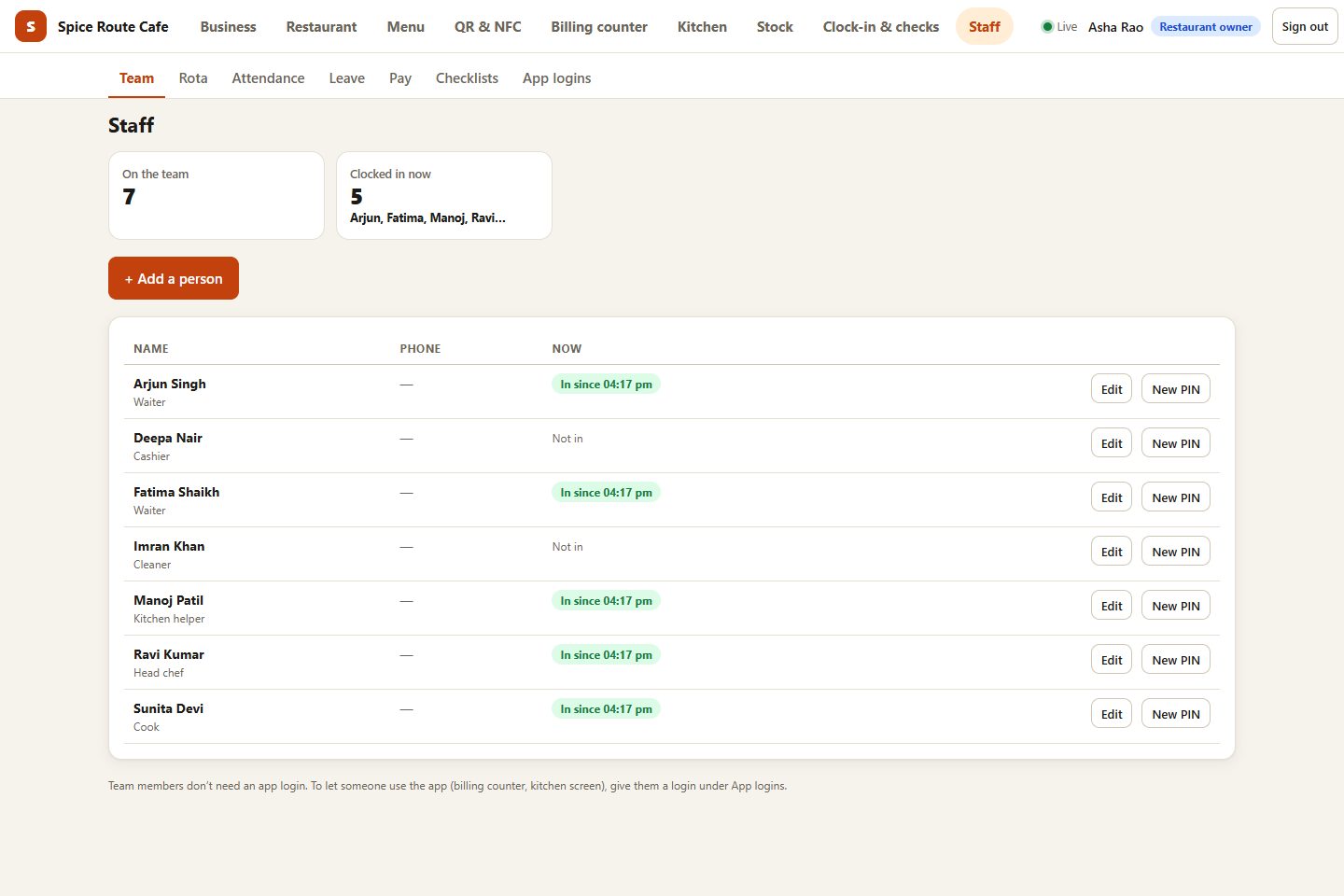
- Staff roles, PIN clock-in, rota and payroll
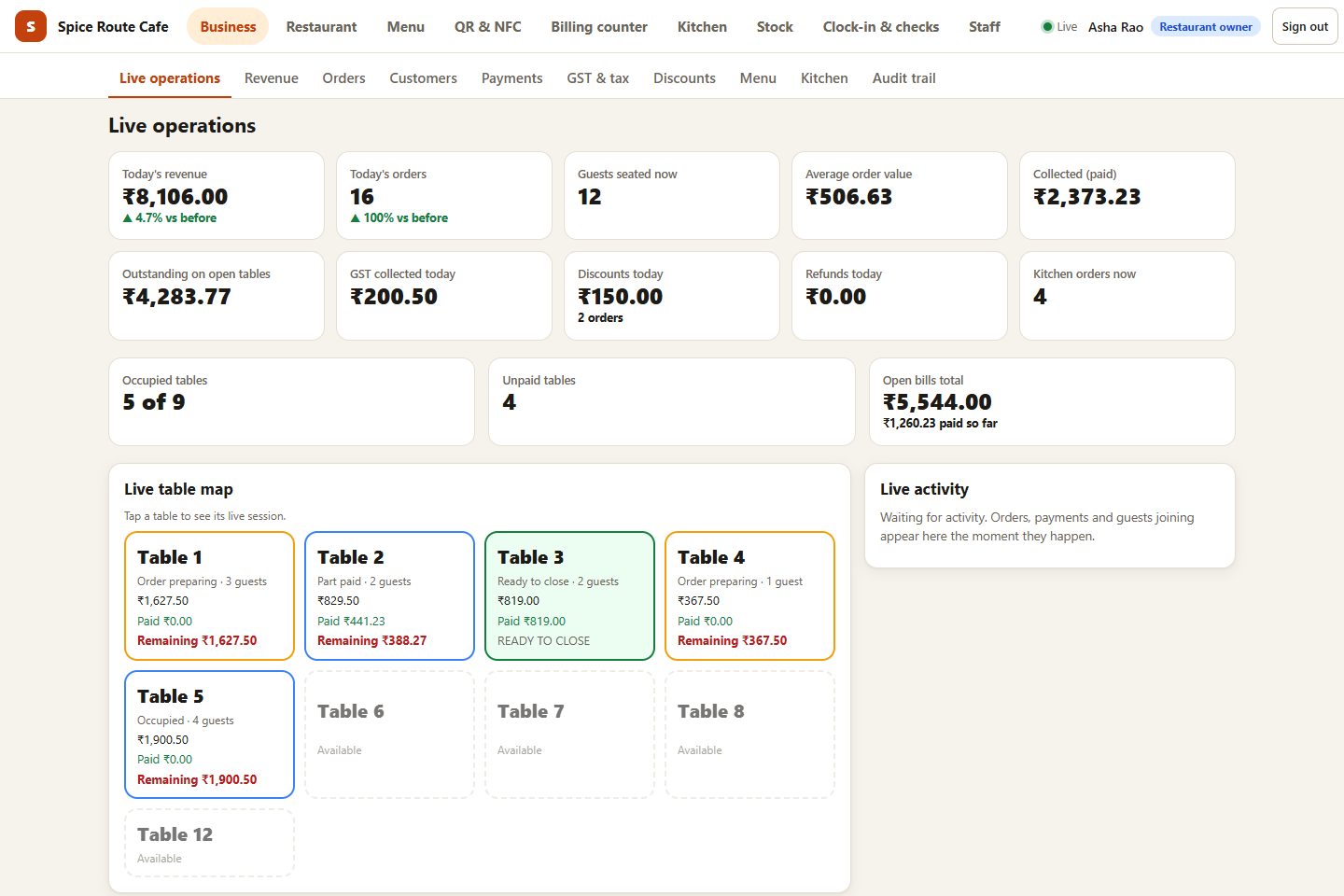
- Reports on sales, busy hours and best sellers
Works on any phone, tablet or computer you already have. See every feature
- ScanGuest scans the table's QR or taps NFC
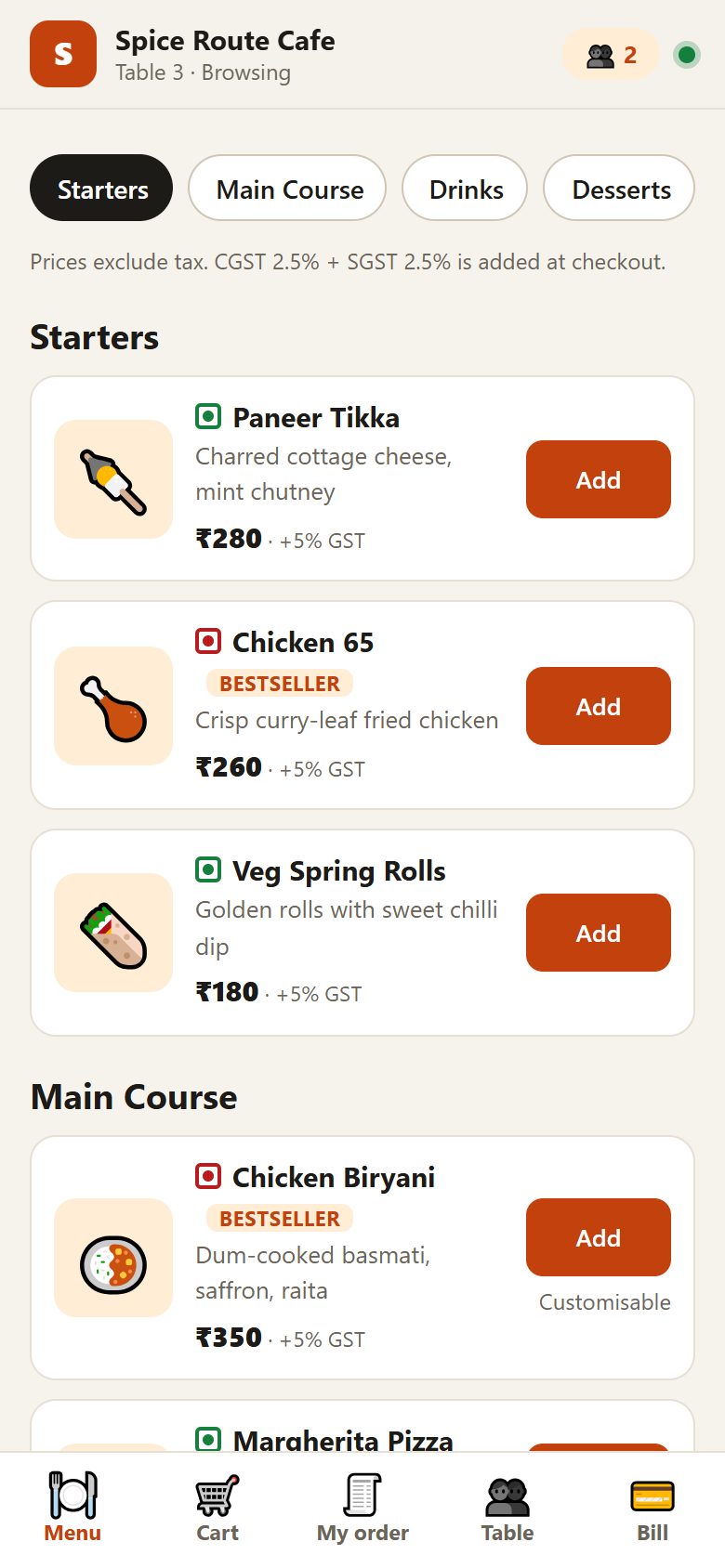
- OrderMenu, sizes and add-ons on their phone
- CookTicket appears on the kitchen screen
- ServeStatus updates reach the table live
- BillSplit equally, by items, or custom
- CloseCash count, day close, reports
Every screen
One system, every screen.
Tap through the real app: what the guest, the kitchen, the counter and the owner each see.
The guest's phone: the menu opens from the table's QR code, no app to install.
What it does
Everything a working restaurant runs on. Nothing it doesn't.
Six parts of one system, sharing one menu, one set of tables and one set of numbers. Every part is in every plan.
QR & NFC table ordering
Every table gets its own QR code and NFC tag. Guests browse, choose sizes and add-ons, and order together from their own phones.
Table orderingKitchen display
Orders land on the kitchen screen in real time, by table, with timers. No paper tickets, no shouting across the pass.
Kitchen displayBilling & split bill
GST bills, service charge, split equally, by items or by custom amounts, cash or UPI/card at the counter, part payments, and a proper day close.
BillingStock & recipes
Link dishes to ingredients. Stock goes down when the kitchen accepts an order, with deliveries, waste and counts on one ledger.
StockStaff, rota & payroll
PIN clock-in, rota, leave, checklists, pay rates, advances and payslips. The owner alone sees pay.
StaffOwner dashboard
Sales, busiest hours, best sellers, sales by table and kitchen times, with a CSV export for your accountant.
All featuresBuilt for Indian restaurants
The details that decide a busy Saturday.
- Tables that share one bill. Friends join the same table from their own phones; one bill, split any way they like.
- Every role sees only its job. Owner, manager, counter, kitchen, waiter and menu manager, each with their own screen and permissions.
- Several branches, one login. Switch between branches or see them all together.
- GST on every bill. Your GSTIN and CGST/SGST rates printed on each invoice, numbered in order.
- Keeps serving if payment lapses. Guests already seated can still be billed; you are never locked out mid-service.
Trust
Your data is yours. Other restaurants can never see it.
Isolated by the database
Every restaurant's data is walled off inside the database itself, not only in the app. We test it by trying to break in.
Tamper-evident history
Voids, discounts, price and menu changes, day closes: every change is recorded with who and when, in a chain that shows if anything was altered.
Live, not refresh
Orders, kitchen status and bills update on every screen the moment they change, with an automatic fallback on weak Wi-Fi.
Questions
Common questions
Who is SYQAVO for?
Restaurants, cafés and food courts in India that serve at tables: from a single café to a group with several branches. Guests order from their phone at the table; your kitchen, billing counter and managers work from the same system.
Do guests need to download an app?
No. Guests scan the QR code (or tap the NFC tag) on their table and order in the browser. Nothing to install, no account to create.
What hardware do I need?
Nothing special: any phone, tablet or computer with a browser runs every screen. A kitchen tablet and a counter screen are the usual setup. We can also supply tablets, set up and ready. What works.
Can I set it up myself?
Today our team sets up every restaurant with you: menu, tables, QR codes and staff logins, usually within a few days. After that, a step-by-step checklist guides you to go live. Self sign-up is on the way.
How does billing and GST work?
Every order is billed with your GST rates and GSTIN on the bill. Guests can split the bill equally, by items or by custom amounts, and pay in cash or part-payments at the counter. The day is closed with a cash count.
See it running in your own restaurant.
A 30-minute walkthrough on your menu and your floor plan. No commitment.